Openclaw offers a fast path from zero to a functional agentic assistant that can run locally or on a VPS. This guide walks through a concise, reliable installation sequence that gets Openclaw handling basic automations in about twenty minutes. It also covers practical choices—local model vs. hosted model, VPS sizing, and essential security steps—so teams can start safely and scale later.
Preparation: prerequisites and deployment choices

Before installing Openclaw, decide whether to host locally or on a VPS. Local installs are ideal for private experimentation and low-latency interactions; VPS deployments are better for continuous availability and remote access. For either path, ensure the machine has Python 3.10+, 8–16GB RAM for light usage, and 20–50GB disk free for packages and logs; heavy LLM inference will require more resources or GPU instances.
Select a model strategy up front. Ollama or other local runtimes work well for compact models and private data, while cloud-hosted LLMs offer larger capabilities at per-call cost. If cost or compliance is a concern, start with a small local model to validate workflows, and reserve hosted models for occasional heavy tasks. Also prepare API keys (Discord/Telegram, OpenAI, etc.) and store them in a secure vault rather than plaintext files.
Plan for isolation and backup. Run Openclaw inside a container or WSL2 for reproducibility and easier rollbacks. Configure automated snapshots or backups for your VPS so configuration, skills, and memory are recoverable. These steps reduce friction during setup and simplify upgrades later.
Quick install: step-by-step 20-minute walkthrough
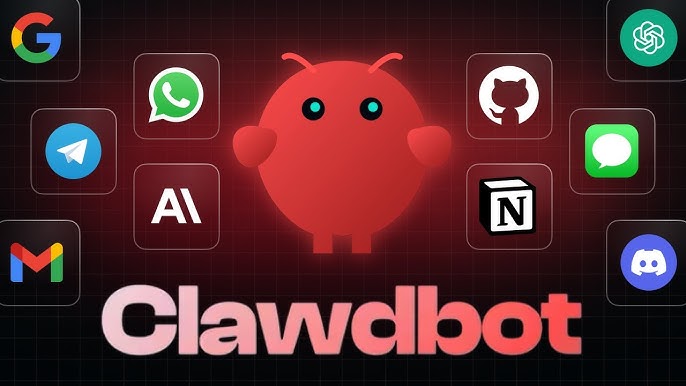
Start by provisioning a VPS or opening a local terminal. Clone the Openclaw repository from the official source and change into the directory. Run the provided bootstrap script (often a single install command) which installs Python dependencies, skill tooling, and sample configurations; this typically completes in a few minutes on modern hardware.
Next, configure the model endpoint. For local inference, install Ollama and register a compact model that fits available RAM; update Openclaw’s configuration file with the model host and port. For hosted models, set environment variables with the provider’s API key and endpoint. Validate connectivity by running a simple test prompt from the Openclaw CLI to ensure the runtime and model communicate correctly.
Finally, enable one messaging integration to verify end-to-end behavior—Telegram is a common first choice. Create a bot token, add it to Openclaw’s secure configuration, and deploy a minimal skill that echoes or summarizes messages. Send a test message and inspect logs to confirm receipt, model inference, and response delivery. This sequence proves the whole system in a controlled, repeatable way.
Essential security and operational best practices
Security must be integral from the start. Never run Openclaw as root; create a dedicated service account and use container isolation. Store secrets in a managed secrets store (Azure Key Vault, AWS Secrets Manager, or HashiCorp Vault) and inject them at runtime rather than committing them to repositories. Restrict network egress and limit inbound ports to only what is necessary for the agent’s integrations.
Govern skills and community code conservatively. Maintain a curated internal skill registry and require code review and automated tests before promoting skills to production. Disable automatic fetching of arbitrary remote content and apply input sanitization to avoid common injection or data-exfiltration risks. For any automation that performs destructive or sensitive actions, implement human-in-the-loop approvals.
Monitor usage and costs proactively. Track per-skill model calls and set budget alerts for hosted LLM usage to avoid surprise bills. Log model prompts and skill executions (with sensitive fields redacted) for observability and debugging. Instrument metrics for latency and error rates so the deployment can be tuned as usage grows.
Next steps and scaling guidance
After validating the pilot, iterate on skill design and prompt engineering. Use retrieval-augmented generation (RAG) to ground responses in local documents and improve factuality. When scale demands more compute, consider a hybrid approach: use local models for interactive tasks and reserve hosted models for batch-heavy or research workloads. This hybrid pattern balances cost, latency, and capability.
Build deployment automation for reproducibility: container images, infra-as-code for VPS provisioning, and CI/CD pipelines for skill promotion reduce manual errors. Periodically review permissions, rotate credentials, and run security scans on dependencies. These operational practices turn a twenty-minute install into a robust, maintainable platform.
In conclusion, Openclaw can be installed quickly and safely with minimal tooling when following a structured approach: prepare the environment, perform a concise install and validation, and enforce simple security and governance controls. Starting small and iterating with observability and budget controls enables teams to realize immediate value while keeping risks under control as deployments scale.