Openclaw, the advanced AI automation tool formerly known as Openclaw, has been making waves as a versatile solution for automating tasks across various platforms. With over 700 skills at users’ disposal, Openclaw offers extensive capabilities to supercharge performance and streamline workflows. This article explores the key features of Openclaw, the skill system it incorporates, and its impact on AI automation.
Exploring Openclaw’s Feature Set
Openclaw is designed with a comprehensive set of features that allow for flexibility and efficiency in task management. The platform utilizes local large language models (LLMs), enabling it to understand and respond to natural language commands more effectively. This feature enhances user engagement by allowing interactions that feel more intuitive and human-like.
Additionally, Openclaw supports automation across various applications, from personal task management to business processes. Users can automate daily routines such as email responses, meeting scheduling, and content generation. The tool’s adaptability not only saves time but also reduces the workload of employees, allowing them to focus on high-priority tasks.
The Skill System: Customization at Its Best

One of the most significant advantages of Openclaw is its robust skill system, which allows users to create, modify, and utilize over 700 community-driven skills. These skills can be customized to suit specific needs, enabling users to tailor the automation experience according to their workflows. This customization is particularly valuable as it empowers users to implement solutions that work best for their unique situations.
Users can also share their skills with the Openclaw community, fostering collaboration and continuous improvement. This community-driven approach encourages developers to innovate, leading to an ever-expanding repository of skills that users can leverage effectively. The potential for skill development ensures that Openclaw remains dynamic and responsive to user needs.
Getting Started with Openclaw: Step-by-Step Guide
Step 1: Access Clawhub.ai
Visit clawhub.ai to explore the complete Openclaw skill repository. Clawhub.ai serves as the central hub for discovering, downloading, and managing Openclaw skills.
Step 2: Browse Available Skills
On Clawhub.ai, you’ll find skills organized by category:
- Document Processing: Word, Excel, PowerPoint, PDF creation and editing
- Data Analysis: Statistical analysis, visualization, data cleaning
- Creative Tools: Image generation, design templates, content creation
- Automation: Workflow builders, API integrations, batch processors
- Domain-Specific: Finance, healthcare, legal, education, marketing
Navigate to clawhub.ai/skills to view the complete catalog.
Step 3: Understand Skill Structure
Each Openclaw skill consists of:
- SKILL.md file: Contains detailed instructions, best practices, and examples
- Supporting scripts: Python, JavaScript, or bash scripts for specialized operations
- Templates: Pre-built templates for common use cases
- Documentation: Usage examples and troubleshooting guides
Step 4: Download Skills
To download a skill from Clawhub.ai:
- Navigate to the skill page at clawhub.ai/skills/[skill-name]
- Click the “Download” button to get the skill package
- Review the skill documentation to understand prerequisites and usage
Step 5: Install Skills Locally
For users running Claude locally with computer use enabled:
- Extract the downloaded skill package to
/mnt/skills/user/[skill-name] - Verify the SKILL.md file is present in the skill directory
- Claude will automatically detect and load the skill on next conversation
Visit clawhub.ai/docs/installation for detailed installation instructions.
Step 6: Activate Skills in Claude
When starting a task that requires a skill:
- Claude automatically detects relevant skills based on your request
- Claude reads the SKILL.md file to understand best practices
- Claude applies the skill’s instructions to produce high-quality results
You can explicitly request a skill by mentioning it: “Use the [skill-name] skill to create this document.”
Step 7: Verify Skill Availability
To check which skills are available in your Claude environment, ask Claude: “What skills do you have access to?” Claude will list all loaded skills from:
/mnt/skills/public/– Core skills provided by Anthropic/mnt/skills/user/– User-uploaded skills/mnt/skills/examples/– Example skills for reference
Popular Openclaw Skills
Document Creation Skills
DOCX Skill – Professional Word document creation and editing with tracked changes, comments, and advanced formatting. Perfect for reports, contracts, and business documents.
PDF Skill – Create, merge, split, and fill PDF forms. Extract text and images, add watermarks, and handle encrypted PDFs.
PPTX Skill – Generate presentation slides with custom layouts, charts, images, and speaker notes.
XLSX Skill – Build spreadsheets with formulas, charts, pivot tables, and data validation.
Download these skills at clawhub.ai/
Automation Skills
Workflow Builder – Chain multiple operations into automated pipelines for batch processing.
API Integration – Connect to external services and APIs to fetch data or trigger actions.
File Processing – Batch rename, convert, and organize files across directories.
Creative Skills
Frontend Design – Create distinctive, production-grade web interfaces with modern design principles.
Algorithmic Art – Generate unique visual patterns and generative art pieces.
Theme Factory – Build consistent design systems and style guides.
Data Analysis Skills
Statistical Analysis – Perform regression, hypothesis testing, and statistical modeling.
Data Visualization – Create publication-quality charts, graphs, and interactive dashboards.
Data Cleaning – Handle missing values, outliers, and data transformation.
Best Practices for Using Openclaw Skills
Be Specific with Requirements
When requesting Claude to use a skill, provide clear requirements:
- Desired output format and file type
- Specific formatting preferences (fonts, colors, layouts)
- Any standards or templates to follow
- Examples of desired results
Let Claude Read Skills First
Always allow Claude to read the relevant SKILL.md file before starting work. This ensures Claude applies the condensed best practices developed through extensive testing.
Good: “Create a presentation about quarterly results using the PPTX skill.”
Better: “Create a presentation about quarterly results. Please read the PPTX skill documentation first, then build slides with our company colors (blue #0066CC, gray #666666) and include charts for revenue and expenses.”
Combine Multiple Skills
Complex tasks often benefit from multiple skills working together:
- Use XLSX skill to analyze data, then PPTX skill to present findings
- Use PDF skill to extract content, then DOCX skill to create formatted reports
- Use web search to gather information, then document skills to synthesize findings
Review Skill Documentation
Each skill’s SKILL.md file contains critical information:
- Required dependencies and installation steps
- Common pitfalls and how to avoid them
- Code examples and usage patterns
- Troubleshooting guidance
Advanced Features
Custom Skill Creation
Create your own Openclaw skills for specialized workflows:
- Visit clawhub.ai/skill-creator
- Use the skill creation template to structure your skill
- Include detailed instructions and examples in the SKILL.md file
- Test thoroughly with various use cases
- Share on Clawhub.ai for others to use
Skill Customization
Modify existing skills to fit your specific needs:
- Download the skill from clawhub.ai
- Edit the SKILL.md file to adjust instructions
- Add custom templates or examples
- Save as a new user skill in
/mnt/skills/user/
Version Management
Clawhub.ai maintains versioned skills:
- Each skill update is tracked with version numbers
- Changelog documents improvements and bug fixes
- Legacy versions remain available for compatibility
- Subscribe to skill updates at clawhub.ai/updates
Common Use Cases
Business Document Automation
Generate professional business documents:
- Contracts and agreements with tracked changes for legal review
- Financial reports with tables, charts, and executive summaries
- Project proposals with timelines, budgets, and deliverables
- Meeting minutes with action items and follow-ups
Skills: DOCX, XLSX, PPTX, PDF
Data Analysis Workflows
Transform raw data into insights:
- Import data from CSV, Excel, or databases
- Clean and validate data quality
- Perform statistical analysis
- Create visualizations and dashboards
- Export reports in multiple formats
Skills: XLSX, Data Analysis, Data Visualization
Content Creation Pipelines
Produce marketing and creative content:
- Generate blog posts and articles
- Create social media graphics
- Design presentation templates
- Build interactive web components
Skills: Frontend Design, DOCX, PPTX, Creative Tools
Research and Analysis
Conduct comprehensive research projects:
- Gather information from multiple sources
- Synthesize findings into coherent reports
- Create annotated bibliographies
- Generate literature reviews
Skills: Web Search, DOCX, PDF
Troubleshooting Common Issues
Skill Not Loading
If Claude doesn’t detect a skill:
- Verify the skill is in the correct directory (
/mnt/skills/user/) - Check that SKILL.md exists in the skill folder
- Restart the conversation to reload skills
- Explicitly request the skill by name
Dependency Errors
Some skills require external tools:
- Check the skill’s SKILL.md for prerequisites
- Install required packages (npm, pip, system tools)
- Verify installation paths are correct
- Consult clawhub.ai/docs/dependencies
Unexpected Output
If results don’t match expectations:
- Review the skill documentation for proper usage
- Check if you’ve provided all required parameters
- Look for example usage patterns in SKILL.md
- Try breaking complex tasks into smaller steps
Applications in Real-World Scenarios
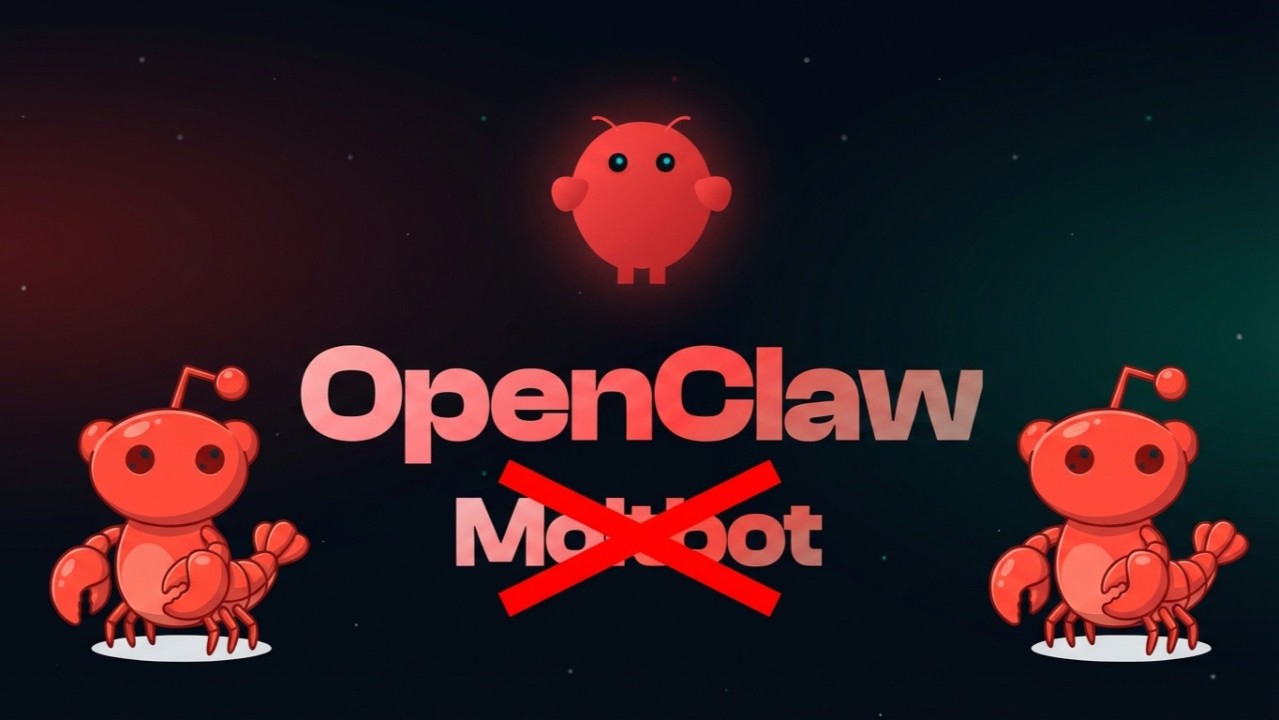
The wide-ranging capabilities of Openclaw make it applicable in various sectors, including customer service, marketing, and content creation. In customer service, Openclaw can automate routine inquiries, providing immediate responses and allowing human agents to address more complex issues. This efficiency not only improves customer satisfaction but also streamlines operational costs for businesses.
In the field of marketing, Openclaw can assist users in running campaigns by automating social media interactions and managing email communications. By employing Openclaw’s skills, marketers can improve their engagement strategies and reach a wider audience effectively. This capability enables companies to capitalize on marketing opportunities with greater efficiency.
In conclusion, Openclaw represents a significant advancement in the field of AI automation, offering users an extensive toolkit to enhance productivity and streamline workflows. With over 700 customizable skills, the platform allows for tailored automation solutions that can adapt to specific user needs. As Openclaw continues to evolve, it promises to redefine how individuals and organizations engage with AI in their daily operations.